
Guide
A free circuit simulator for Mac, built for Apple Silicon
BetterSPICE is a free SPICE circuit simulator with a Mac build for Apple Silicon, on macOS 11 or later. According to Analog Devices staff on its forum, LTspice 26 for Mac is still an Intel build that runs under Rosetta 2, with an Apple Silicon version in progress. The Mac installers open with the GitHub repository; join the beta to get them now.
Checked on 20 November 2026. BetterSPICE beta 0.9.0. The LTspice facts come from Analog Devices’ own page and from its EngineerZone forum; the sources are listed at the bottom.
What you get on a Mac
- The same program. The Mac build is version 0.9.0 for Apple Silicon, on macOS 11 or later. The installers are a
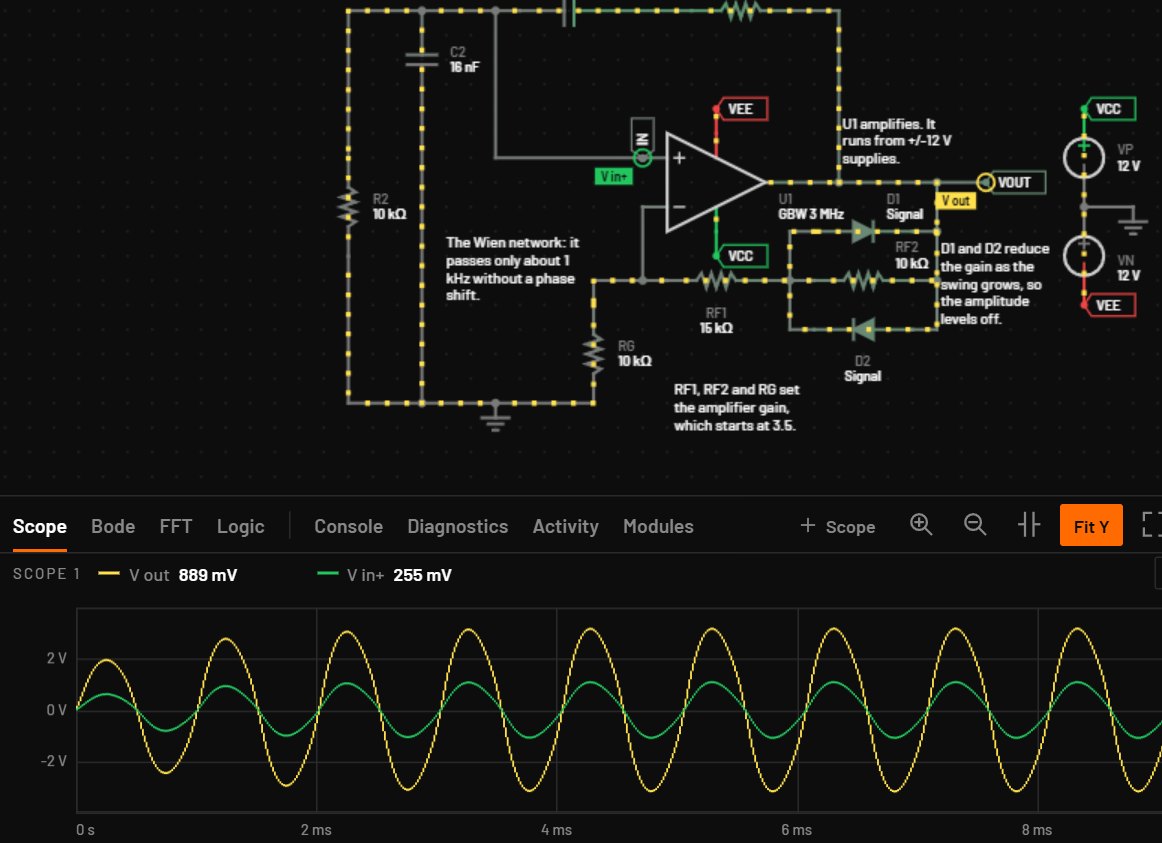
.dmgof 84 MB and a full installer of 855 MB. - The live view. The circuit runs while you draw: wire colours follow the voltage, dots show the current, and you can change a value while it runs. F5 runs the full analysis on the same schematic.
- Analyses. Transient, AC, DC sweep, operating point, parameter step, FFT, noise, pole-zero, loop gain, Monte Carlo and worst case, with measurements that say PASS or FAIL.
- Vendor models. 169,574 models in the catalogue, run in ngspice 47 under Simulate. LTspice, PSpice and HSPICE dialects are converted on the way in.
- Other tools’ files. KiCad 6 to 10, EasyEDA Pro, LTspice
.asc, Altium and Multisim schematics open through File > Import, or by dropping the file on the window. - The same numbers. The engine uses one math library on every system, so a circuit gives the same numbers on Windows, Linux and macOS (manual chapter 28). Against ngspice, 3,797 of 3,797 signals pass on 438 test circuits.
The LTspice situation on a Mac
Analog Devices lists LTspice for macOS as a free download [1]. What matters on a current Mac is the processor type. In the EngineerZone forum, a user reports that version 26 for macOS is Intel x86-64 only, while 17.2.4 is a universal build that runs natively on Apple Silicon. An Analog Devices reply in the same forum says the Mac version is a port of the Windows program and runs under Rosetta 2, and a later staff reply says an Apple Silicon version is being worked on, because Intel support through Rosetta is ending [2][3]. No release date was given in the threads we could read.
So an Apple Silicon Mac can run LTspice today, either the Intel build under Rosetta 2 or the older 17.2.4 natively. If you would rather not depend on that, BetterSPICE is built for Apple Silicon from the start, and it opens LTspice .asc schematics.
| BetterSPICE 0.9.0 | LTspice 26 for macOS | LTspice 17.2.4 for macOS | |
|---|---|---|---|
| Processor | Apple Silicon, macOS 11 or later | Intel x86-64, runs under Rosetta 2 on Apple Silicon, as reported in EngineerZone [2][3] | Universal build, native on Apple Silicon, as reported in EngineerZone [2] |
| Status | Beta; Mac installers open with the GitHub repository | Current release line | Listed on Analog Devices’ download page as end of support [1] |
| Runs while you draw | Yes | No, you run a simulation and read the waveform viewer | No |
| Opens | KiCad 6 to 10, EasyEDA Pro, LTspice .asc, Altium, Multisim and SPICE netlists | LTspice schematics | LTspice schematics |
| Vendor models | 169,574 in the catalogue; PSpice-encrypted TI models are not available on macOS, so fitted models are used and the app says so | Models for Analog Devices parts and the usual SPICE libraries | As for 26, older |
| Cost | Free | Free | Free |
What does not work yet on a Mac
- The Mac Full installer puts the whole model library in place, but no one has used it on their own Mac yet.
- The in-app update (Help > Check for updates) has not been tried on a Mac.
- PSpice for TI is not available on macOS. Texas Instruments models that Cadence has encrypted use fitted behavioural models instead, and BetterSPICE says so on the model.
- The app is not code-signed yet. On a Mac, allow the first start in System Settings > Privacy & Security > Open Anyway.
- Intel Macs are not listed.
LTspice is the mature release you can download today (comparison).
Install notes
The downloads open together with the GitHub repository, so the Mac installers show as coming soon on the download section. Join the beta to get them now.
Pick the .dmg without the library (84 MB) if you only want the program, or the full installer (855 MB) if you want the vendor models too; the library can be added later. Open it, then allow the first start as described above. Chapter 1 of the manual walks through the first run; its step-by-step install text is written for Windows, so use the notes above for the Mac. To try the live view before installing anything, use the browser demo.
Sources
- Analog Devices, LTspice, as archived on 17 September 2026 (macOS download listed; version 17.2.4 for macOS marked End of Support in search results of 19 November 2026). The page timed out when re-fetched, so the processor facts rest on the forum.
- EngineerZone, LTspice v17.2.4 for macOS is Apple Silicon default, while LTspice v26 is Intel x86-64 only. Why?, as summarised in search results on 19 November 2026: Intel-only version 26, Rosetta 2, no timeline.
- EngineerZone, a thread about LTspice on macOS 27, as summarised in search results on 19 November 2026: an Apple Silicon version is in progress.
- BetterSPICE: download section (Mac installers, known limits), manual chapter 15 (PSpice on macOS), chapter 28, chapter 76.
LTspice is a registered trademark of Analog Devices, Inc. macOS and Apple Silicon are trademarks of Apple Inc. BetterSPICE is not affiliated with either company.
Try it before you install
The full app runs in Safari, Chrome or Firefox at app.bspicesim.com, or read Install and start in the manual.
Questions people ask
Does BetterSPICE run natively on Apple Silicon?
The Mac build is made for Apple Silicon and needs macOS 11 or later. The site lists no Intel Mac build. It is a beta, and nobody has yet used the full installer on their own Mac, so expect rough edges.
Is there an LTspice for Apple Silicon?
LTspice 17.2.4 for macOS is reported to be a universal build that runs natively. Version 26 for macOS is reported to be Intel-only and to need Rosetta 2, and Analog Devices staff say an Apple Silicon version is in progress with no date.
Can I open my LTspice files on a Mac?
Yes. File > Import reads LTspice .asc schematics, and so does dropping one on the window. On LTspice’s 61 example schematics the imported connections match LTspice’s own netlists.
Is it free, and where is the download?
It is free to use, also at work. The Mac installers are listed as coming soon with the GitHub repository. Joining the beta gives access to them now, and the browser demo at /try needs no install.
Why does macOS block the first start?
The app is not code-signed yet. Allow the first start in System Settings > Privacy & Security > Open Anyway.
Do vendor SPICE models work on a Mac?
Yes, in ngspice 47. The one exception is Texas Instruments models encrypted by Cadence, which need PSpice for TI. That is not available on macOS, so fitted behavioural models are used and the app says so.